


Create New Conference (Installation Request)
A step-by-step guide to creating new conference.
Setting up EasyChair for your conference is quick and hassle free. Simply fill out a short form to submit your installation request.
There’s no need to download or configure any software, or worry about backup procedures. Your conference will be hosted on our servers, with reliable backup procedures, recovery, email delivery, and other essential services included.
To use EasyChair for managing your conference, start by creating your conference:
- Review our policy for conferences using EasyChair
- Create an account if you do not already have one.
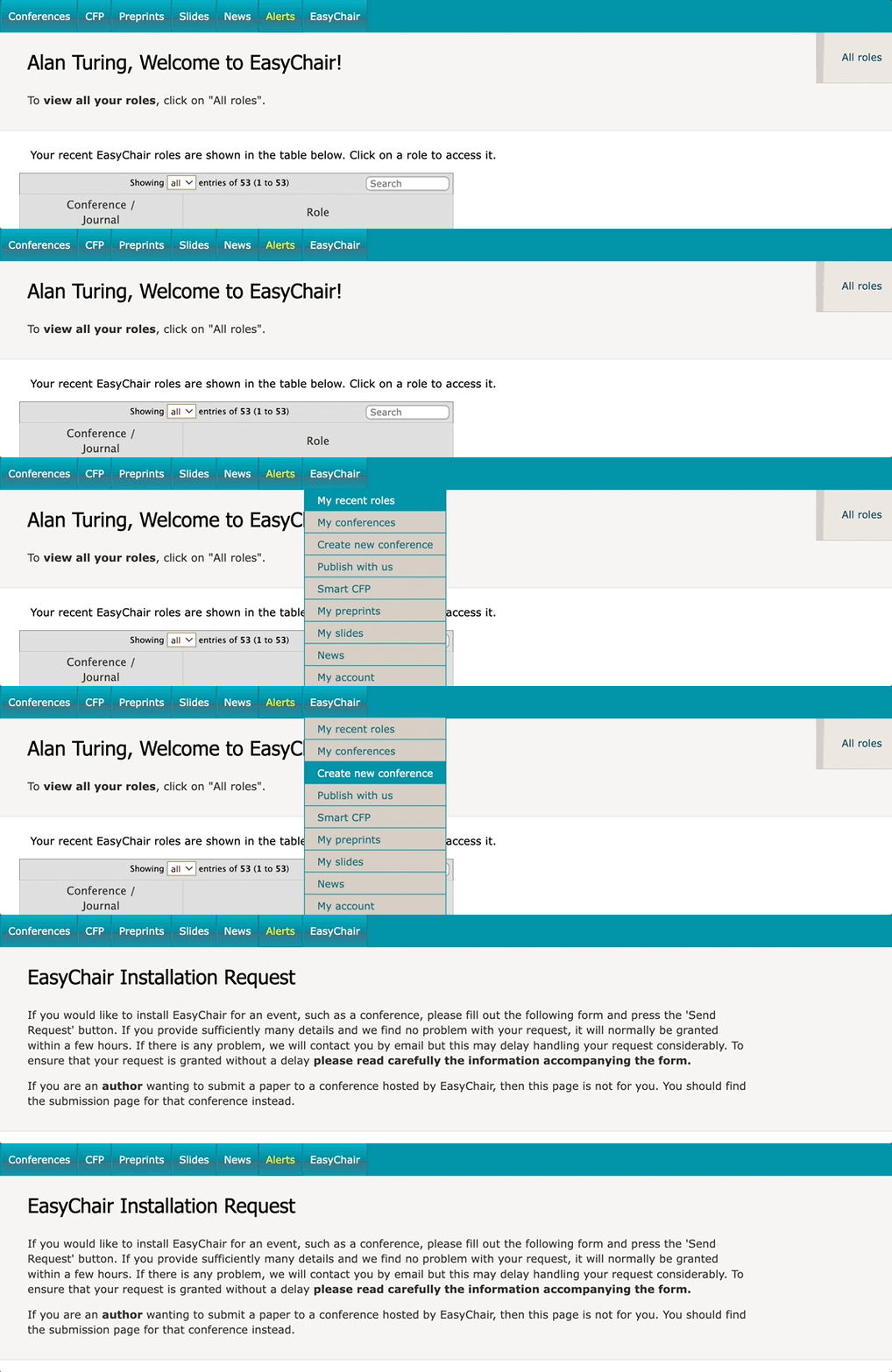
- Log in and use the main menu to navigate to “EasyChair” → “Create new conference”. You will be prompted to fill out a simple form with information about your conference.
Once you have submitted the installation request, here’s what happens next:
- We will verify the information you provided. This process usually takes around 2 hours, but it may take anywhere up to 24 hours.
- If approved, you will receive a confirmation email from us. Your conference will then appear under the menu tabs “EasyChair” → “My conferences”.
- At this point, your conference will be ready to accept submissions, and you will be assigned as its first chair (administrator).